JUMBULA INFORMATION PAGE
Parents : Click here to go to our Jumbula Registration Site. Here you can log in to your account (the email and password you used when registering), see your balance and print documents for your records (and for submitting for tax purposes).
HERE IS WHAT THE UPPER LEFT HAND OF YOUR JUMBULA LOG IN SCREEN LOOKS LIKE:

IF YOU NEED TO CHANGE INFO ON YOUR CHILD’S ACCOUNT ON JUMBULA: After logging in, click Profile at the upper left hand of the screen and then click the participant you want to change
IF YOU NEED TO ADD AUTHORIZED PICK UP PEOPLE: After logging in, click on Profile and scroll to that option
IF YOU NEED TO ADD MEDICAL INFORMATION: After logging in, click on Profile, click the medical icon under the correct Participant
IF YOU NEED TO SEE WHAT YOU OWE, WHAT REGISTRATIONS ARE CURRENT, OR DOWNLOAD A DEPENDENT CARE RECEIPT: After logging in to Jumbula, choose enrollments, invoices, or reports
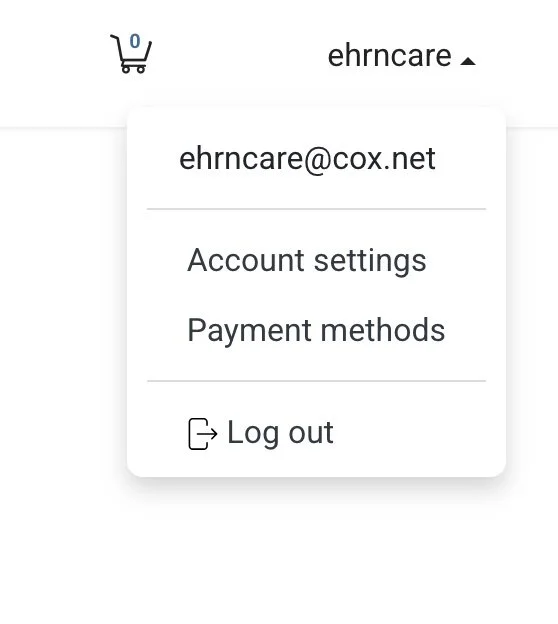
IF YOU NEED TO CHANGE YOUR PAYMENT METHOD:
After logging in, go to the upper right hand corner under your log in name and click the arrow, then Payment Methods
Please do this as soon as you get a new card or want to change the card used in auto-payments! Otherwise you will be flagged as a delinquent payment and get a lot of emails from us. Payments must be made in full before performance for after school productions or by June 1st for summer camp or your child can not participate. Email us if you need payment assistance.
example below: